Your teaching, in one place. Under your name.

Pastor Nest builds personal websites for pastors, Bible teachers, authors and speakers. We draft yours privately from the work you have already shared, and you publish when you are ready.

Free private preview. No card needed. From A$49 a month, GST included.

  • Sunday sermons on YouTube
    38:12
    The Table Has Another Place
  • Podcast in an RSS feed
    Reading Slowly, Living Deeply
  • Reflections on Facebook

    “Kept a question notebook again this week. A few thoughts on reading slowly…”

  • A short bio on the church site
    Caleb RowanPastor and Bible teacher
  • Books on a retailer’s page
    The Unhurried WordOne listing among thousands
  • Speaking dates in email threads
    Re: Re: Open Bible Workshop? 7Can you confirm the Saturday session…

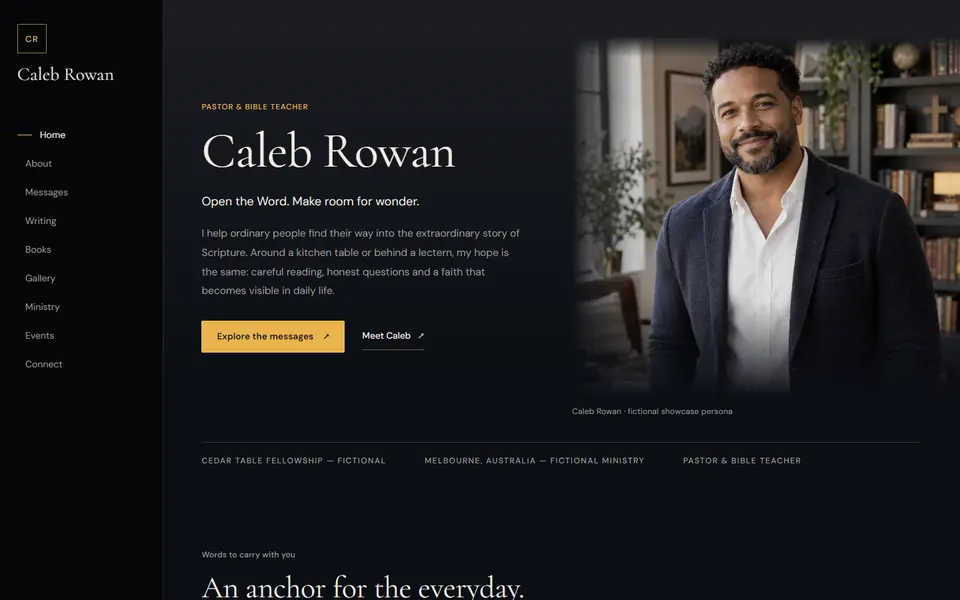
Caleb Rowan's website home page: his name set large beside an arched portrait in his study.
  • Messages
  • Podcast
  • Writing
  • About
  • Books
  • Events
Caleb Rowan’s site, live on its own address. Example site, fictional pastor.Visit the live example

Made for people whose work is words.

If you preach, teach or write, that work deserves a place with your name on it, not a corner of someone else’s platform.

  • Pastors

    A sermon archive, series, events and an easy way for people to find your teaching.

  • Bible teachers

    Study notes, teaching topics and Bible verses, organised so people can follow a thread.

  • Authors

    Your books, endorsements and articles, with links to wherever your books are sold.

  • Speakers

    The topics you speak on, upcoming events and a clear way to invite you.

  • Ministry leaders

    Ministries, milestones and the story of the work, told in your own words.

Your teaching is everywhere. Now it has one address.

Sermons sit on YouTube, episodes in a podcast app, reflections on Facebook and a short bio on the church website. Pastor Nest brings them together under your name.

  • Sunday sermonson a YouTube channel
  • Podcast episodesin an RSS feed
  • Reflectionsposted on Facebook
  • A short bioon the church website
  • Bookson a retailer’s page
  • Speaking datesin email threads
Pastor NestWe draft your site privately from the work you have already shared.
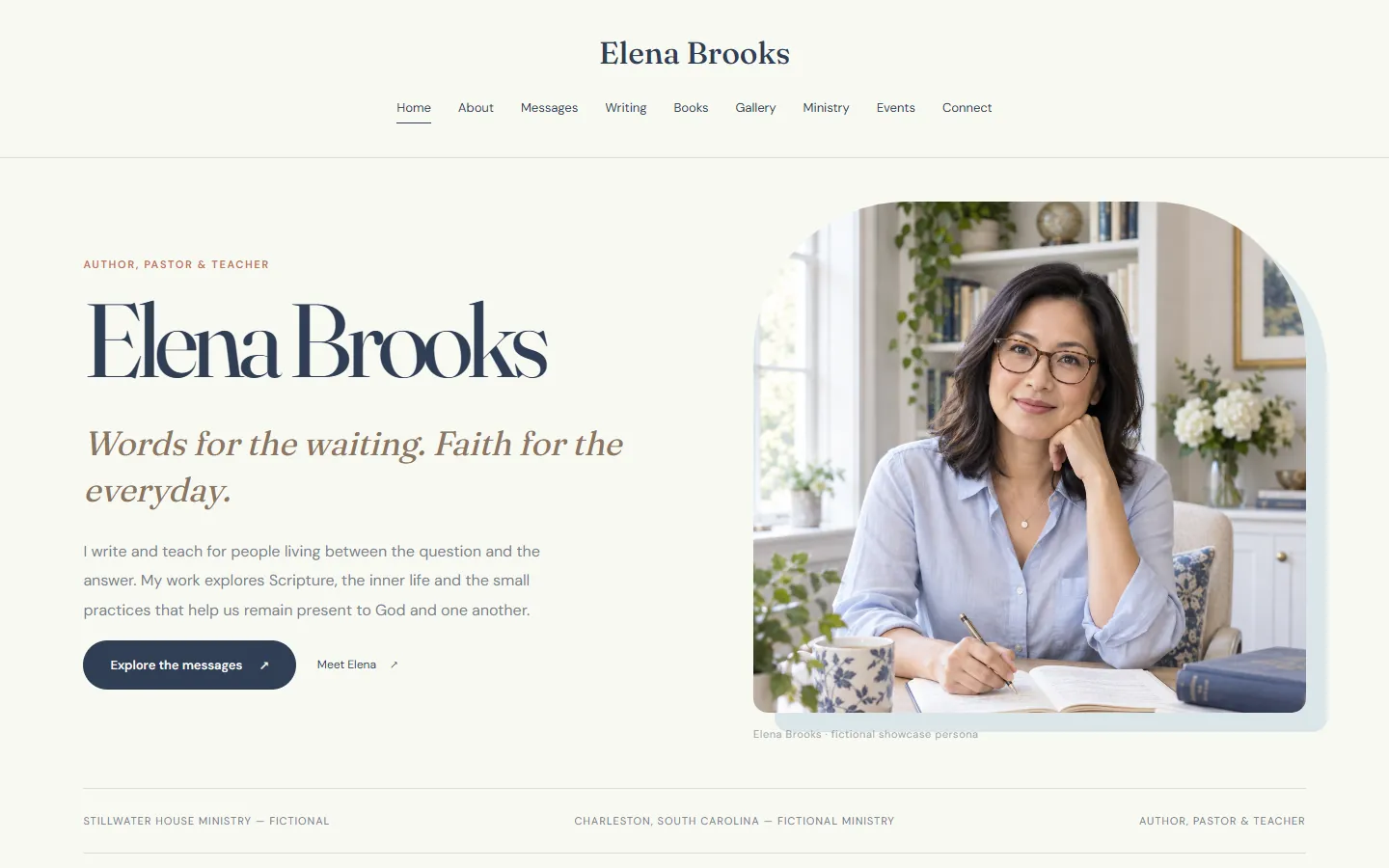
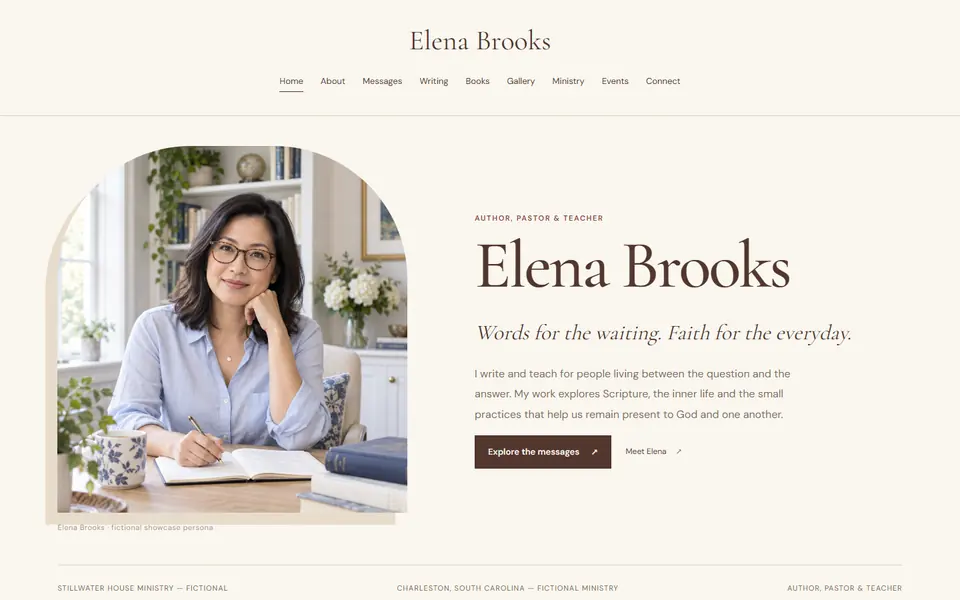
Elena Brooks's website: a calm ivory home page with her portrait at a writing desk and the line 'Words for the waiting. Faith for the everyday.'
  • Messages
  • Podcast
  • Writing
  • About
  • Books
  • Events
Elena Brooks. Example site, fictional pastor.

More than twenty designs. Change your mind any time.

Every design reads from the same content, so trying a new look is a preview, not a rebuild. Shown here on our four fictional example pastors.

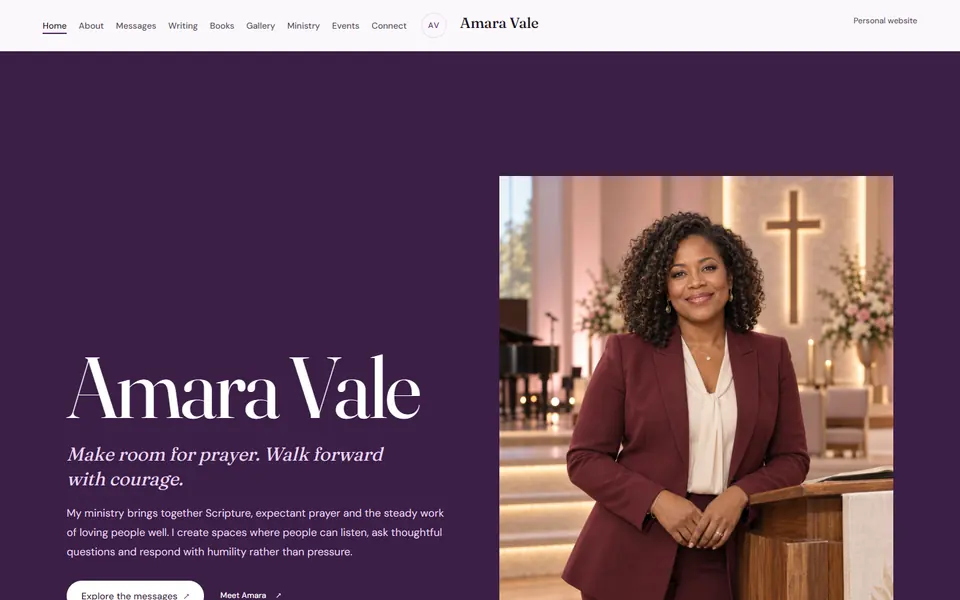
Verso design: plum bands and a poster-scale name, shown on Amara Vale's site.
VersoExample site, fictional pastor
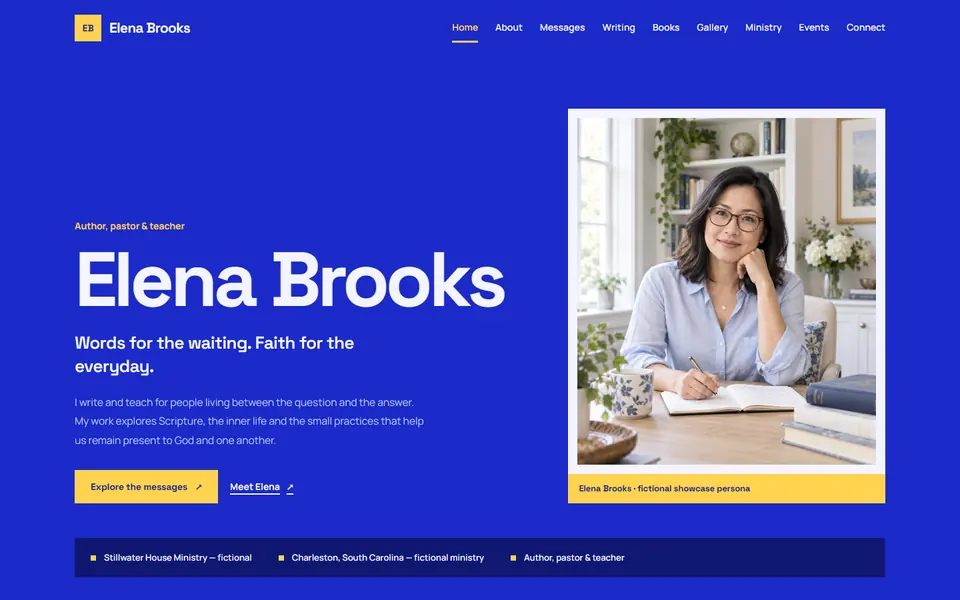
Signal design: a saturated blue field, shown on Elena Brooks's site.
SignalExample site, fictional pastor
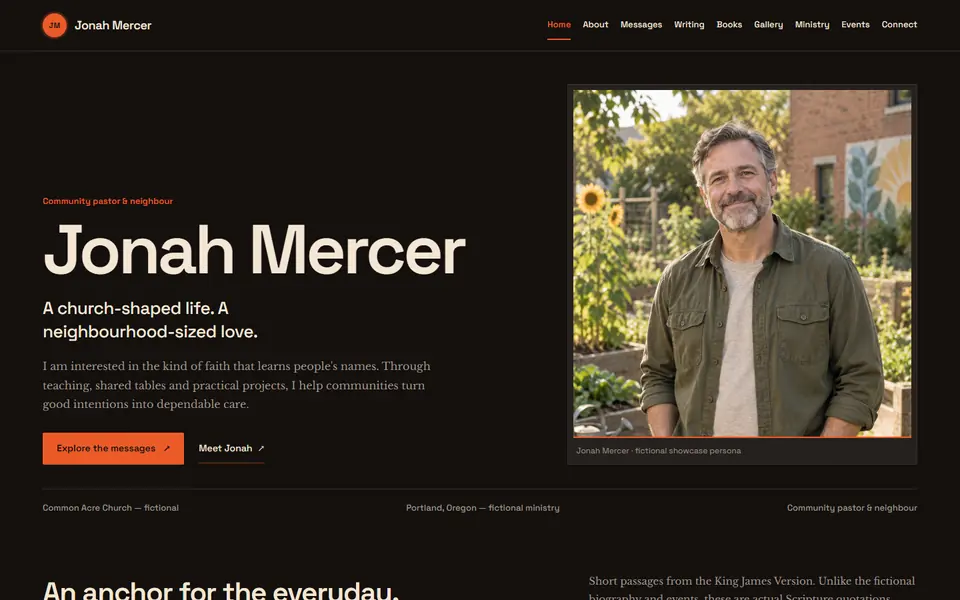
Ember design: charcoal with a tungsten orange accent, shown on Jonah Mercer's site.
EmberExample site, fictional pastor
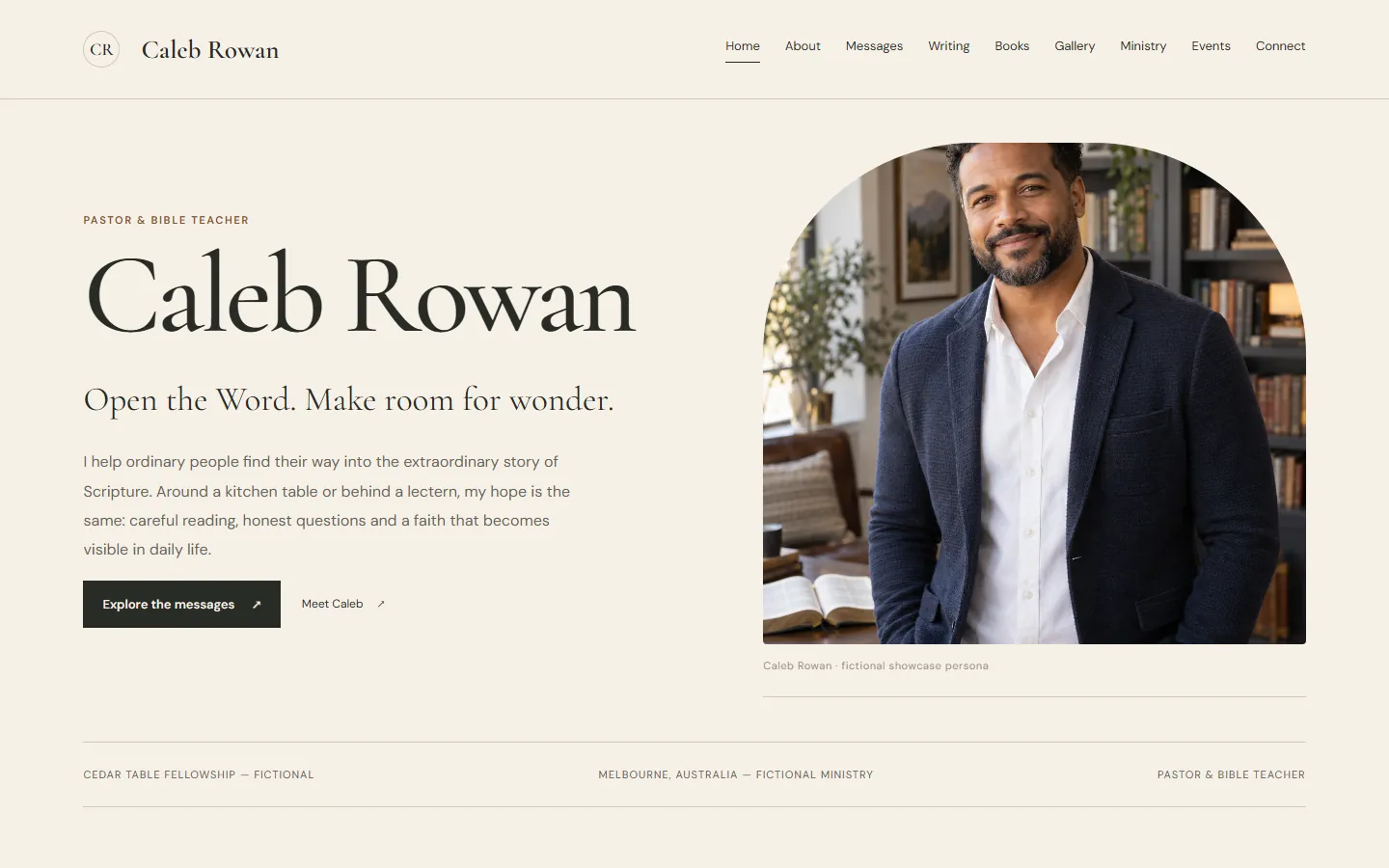
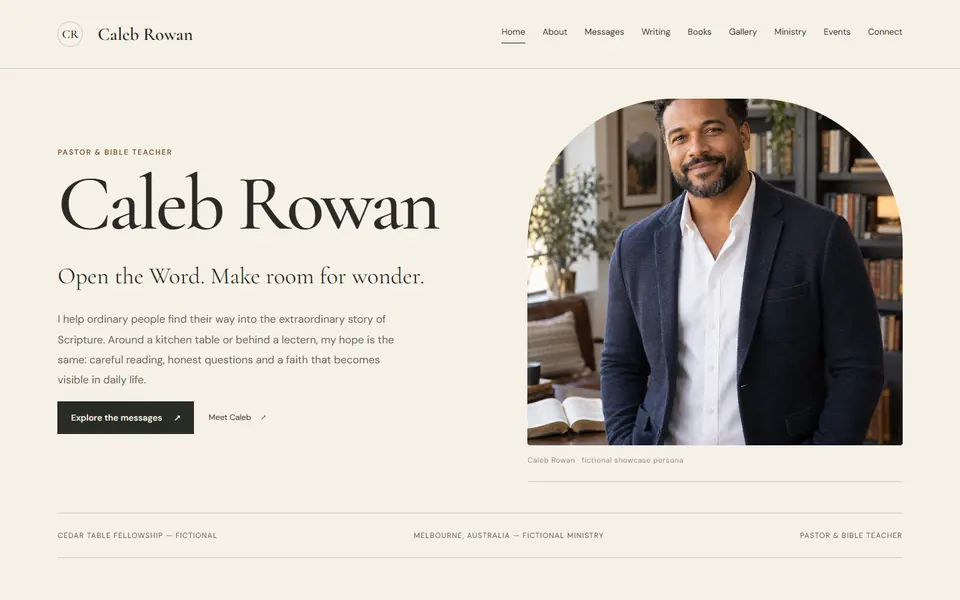
The Melbourne Edition design, shown on Caleb Rowan's site.
The Melbourne EditionExample site, fictional pastor
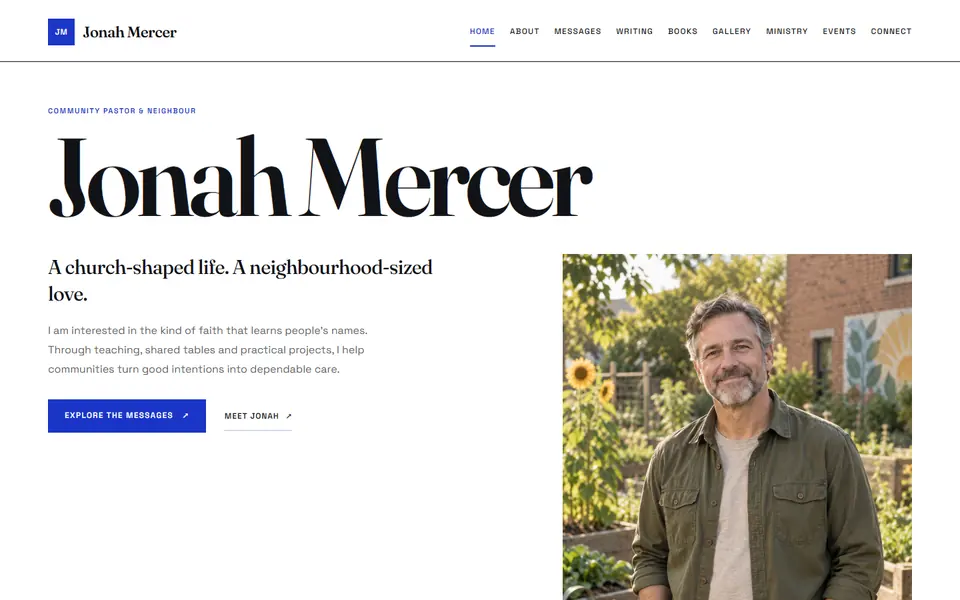
The Folio design: an oversized name on white, shown on Jonah Mercer's site.
The FolioExample site, fictional pastor
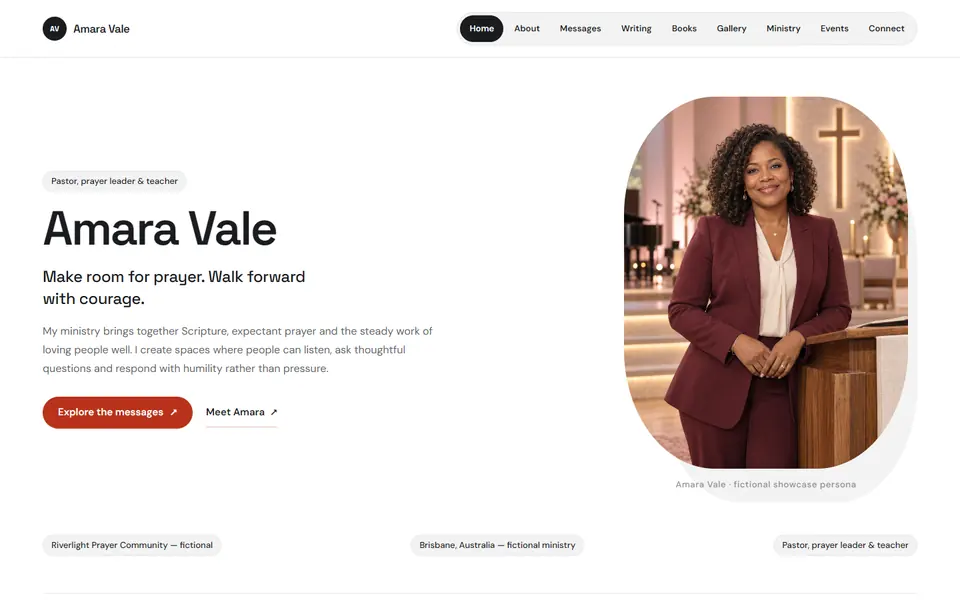
Canvas design: a white studio with a rounded portrait, shown on Amara Vale's site.
CanvasExample site, fictional pastor
Vesper design: a dark evening room with a side rail, shown on Caleb Rowan's site.
VesperExample site, fictional pastor
Consider the Lilies design, shown on Elena Brooks's site.
Consider the LiliesExample site, fictional pastor

Every design is included in both plans and works on phones, tablets and desktops.

Browse every design

Everything a teaching ministry needs, in one workspace.

Write, import, arrange and publish without waiting on a web developer. See every feature

Write the way you already write.

A calm editor with headings, quotes, Bible verses, photos, video and audio. Save a draft, preview it privately and publish when it reads right.
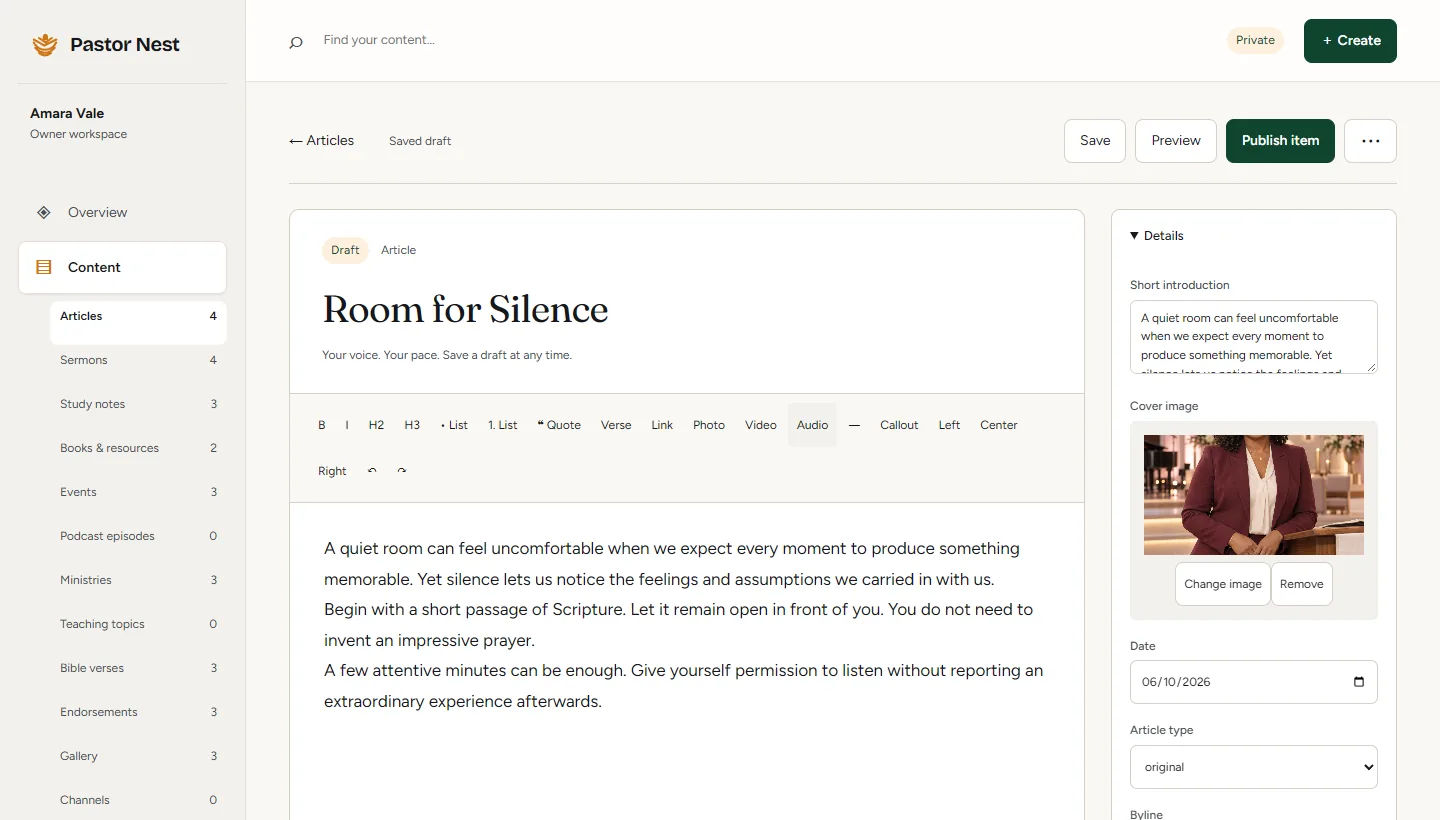
The article editor with the title 'Room for Silence', a formatting toolbar and a cover image panel.

Bring your sermons across.

Paste a YouTube channel or playlist, or a podcast feed. Imports arrive as drafts, so nothing goes live until you say so.
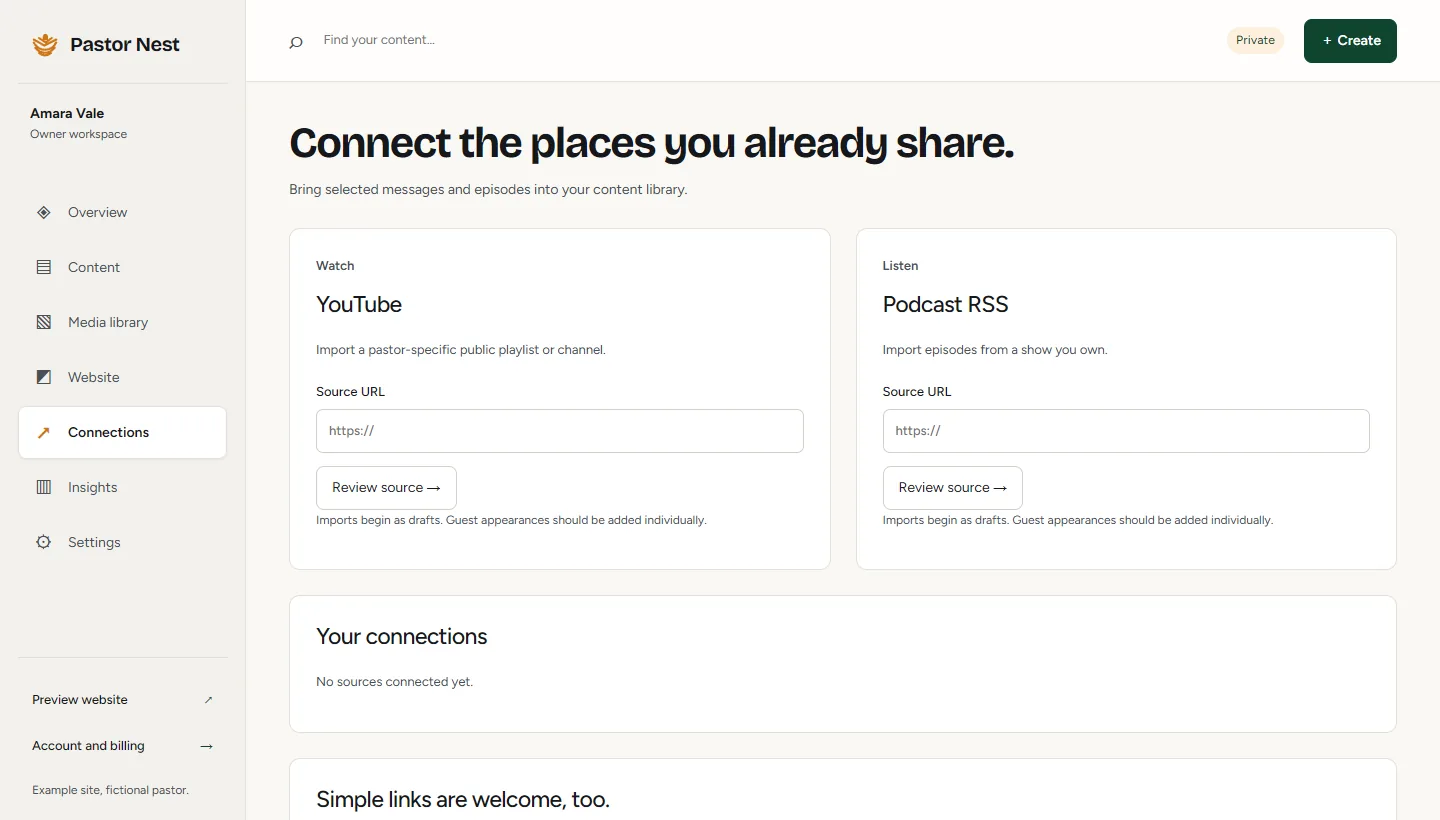
The Connections screen with source fields for YouTube and a podcast RSS feed.

Sixteen kinds of content.

Each has its own fields and its own page on your site.

  • Articles
  • Sermons
  • Study notes
  • Books
  • Events
  • Podcast
  • Ministries
  • Teaching topics
  • Bible verses
  • Endorsements
  • Gallery
  • Channels
  • Social
  • Questions and answers
  • Page links
  • Milestones

Publish on your schedule.

Set a post to go live on Sunday morning. Every release is kept, so you can roll back in one step.

Counts, not tracking.

First-party page views and link clicks. No third-party analytics and no advertising cookies.

Photos, handled.

Upload JPEG, PNG or WebP. We convert and size every image so your pages load quickly on a phone.

From a private draft to your own site, in four steps.

You see a finished draft before you commit to anything. How it works, in detail

  1. We draft it privately

    We build a preview from your public teaching, books and talks. It is unlisted, and we remove it if you ask.

  2. You claim it

    A single-use invitation makes the site yours; a forwarded link cannot claim it. Your 14-day free trial starts here.

  3. You make it yours

    Change any word or photo, choose a design, add sermons from YouTube and invite an assistant to help.

  4. You publish

    Go live at yourname.pastornest.com, or on your own domain, which we connect for you.

Inside the workspace

Simple enough for a Sunday night.

Write, arrange and publish from one calm workspace. Scroll to walk through it.

  1. 01

    Start from your overview

    Your workspace opens on what matters next: drafts to pick up, a short checklist before your first release, and one-click ways to write or add a sermon.
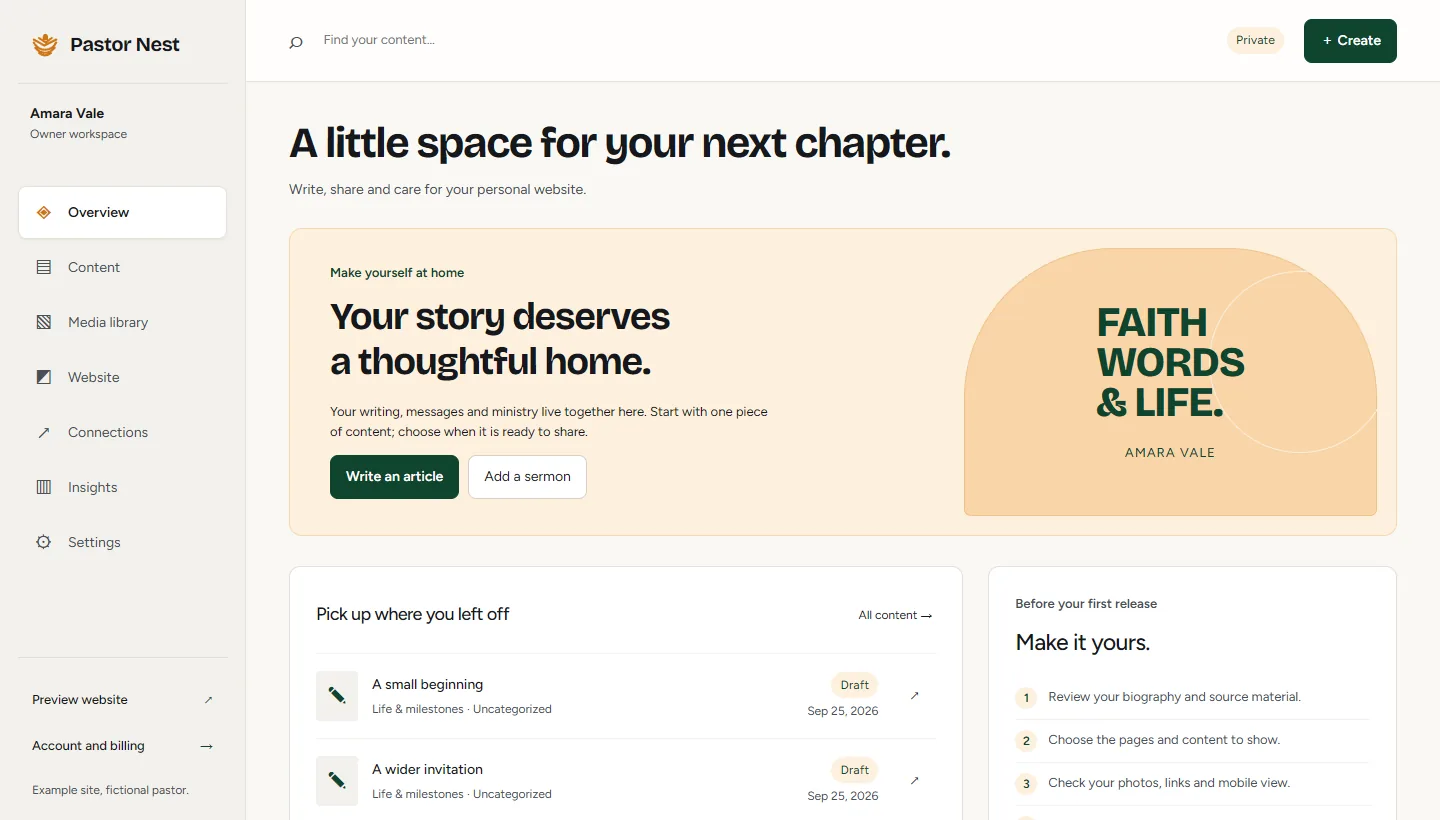
    1. Write an article or add a sermon
    2. Pick up the drafts you left
    3. A short checklist before your first release
    The workspace overview: a welcome panel with Write an article and Add a sermon, recent drafts and a checklist titled Make it yours.
  2. 02

    Keep everything in one library

    Articles, sermons, study notes, books, events and eleven more collections, each with its own fields. Search, filter and tidy them in bulk.
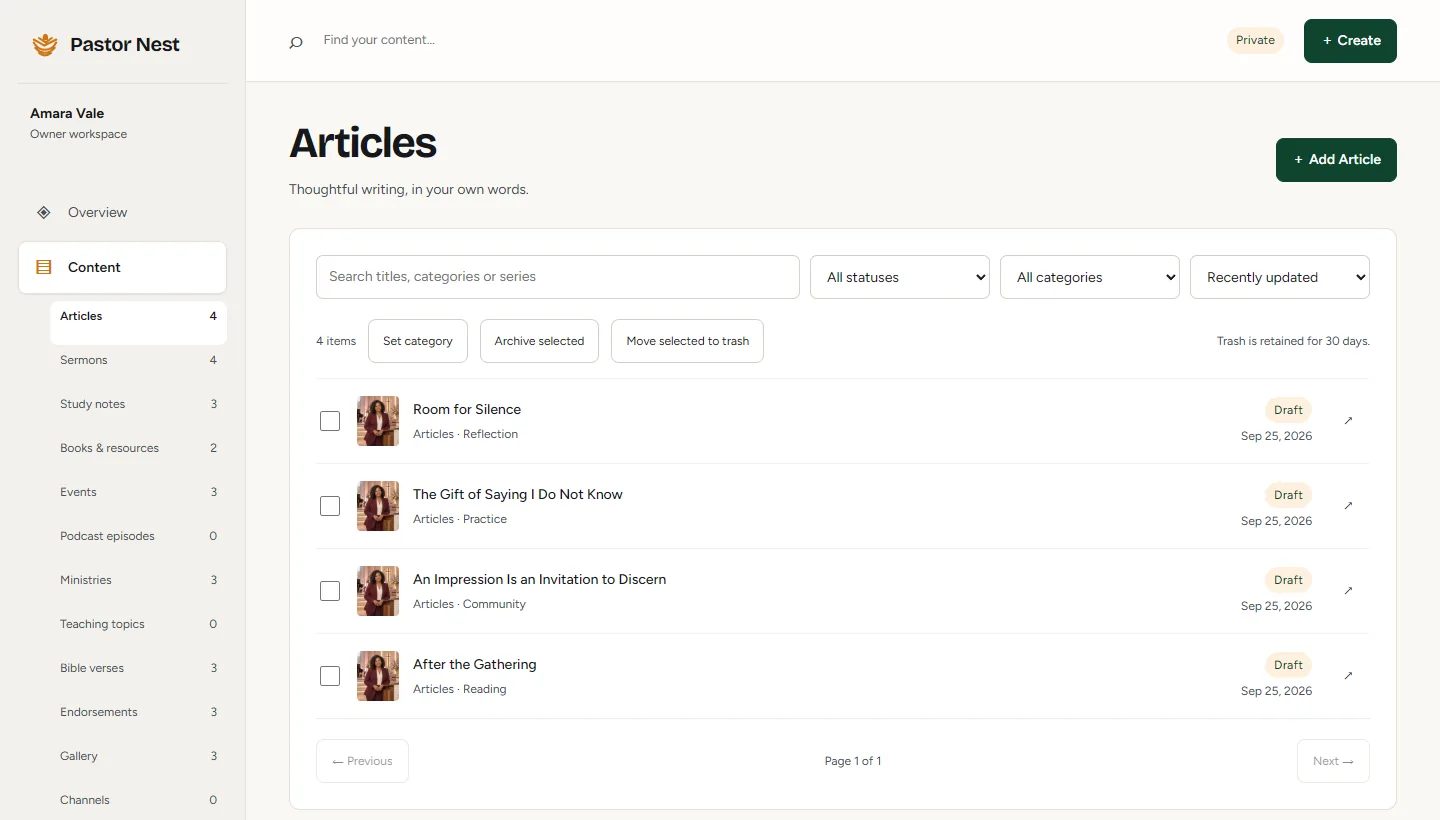
    1. Sixteen collections in the sidebar
    2. Search and filter by status or category
    3. Every item opens in the editor
    The content library listing four draft articles, with search, filters and the sixteen collections in the sidebar.
  3. 03

    Write in a calm editor

    Headings, quotes, Bible verses, photos, video and audio. Add a cover image and a short introduction, save a draft, and publish when it reads right.

    1. Headings, quotes, verses, photos, video and audio
    2. Cover image and short introduction
    3. Publish when it is ready
    The article editor with the title 'Room for Silence', a formatting toolbar, and a details panel with the introduction and cover image.
  4. 04

    Shape each page

    Choose a design, switch sections on or off, change their words and check the desktop and mobile views before anything goes live.
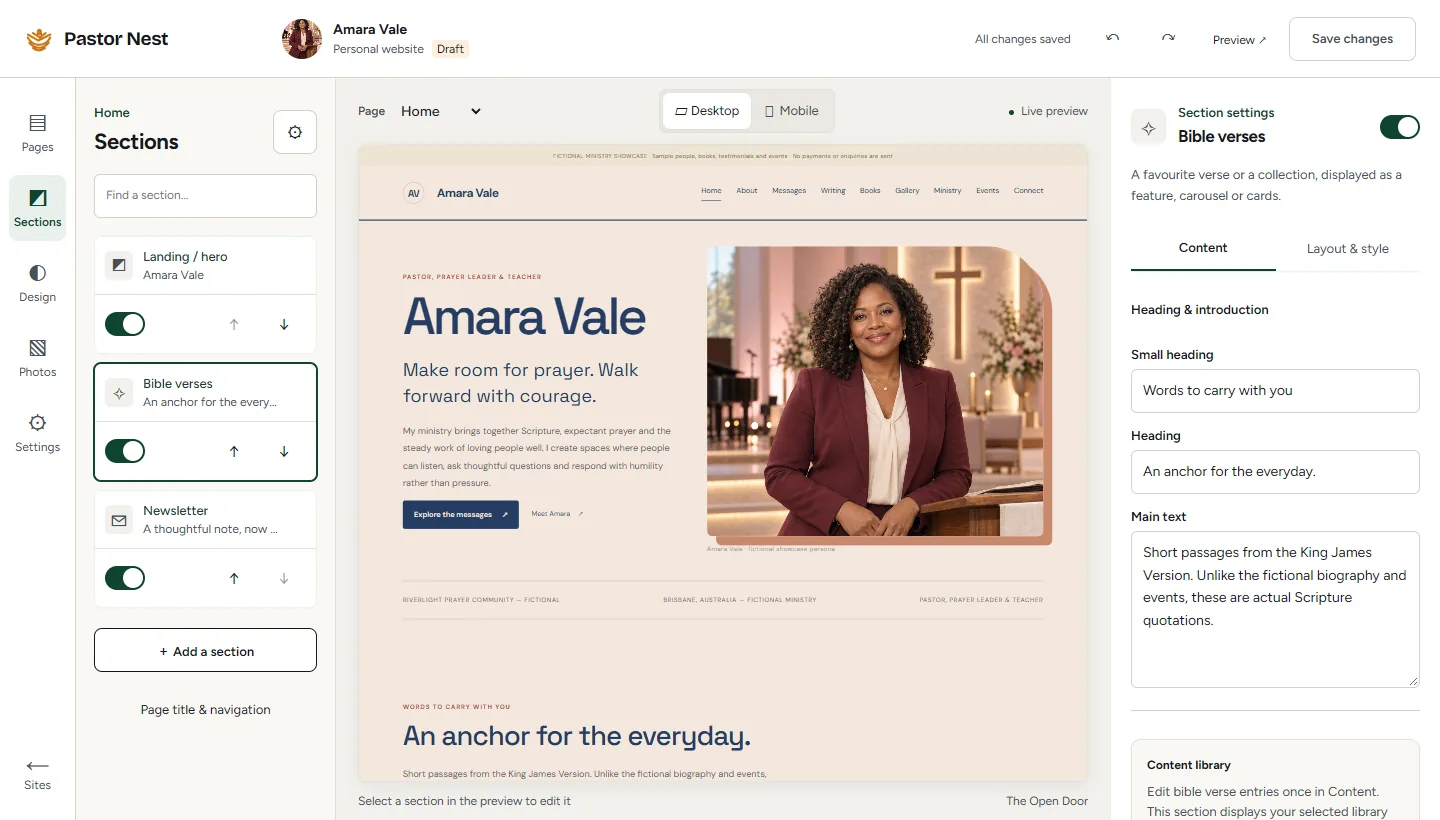
    1. Turn sections on or off and reorder them
    2. Desktop and mobile preview
    3. Edit the words of any section
    The page designer: a list of sections on the left, a live preview of the home page in the middle and section settings on the right.
  5. 05

    Look after your photos

    Upload a photo once and use it anywhere. Each keeps its caption and credit, and we convert and size it so your pages load quickly on a phone.
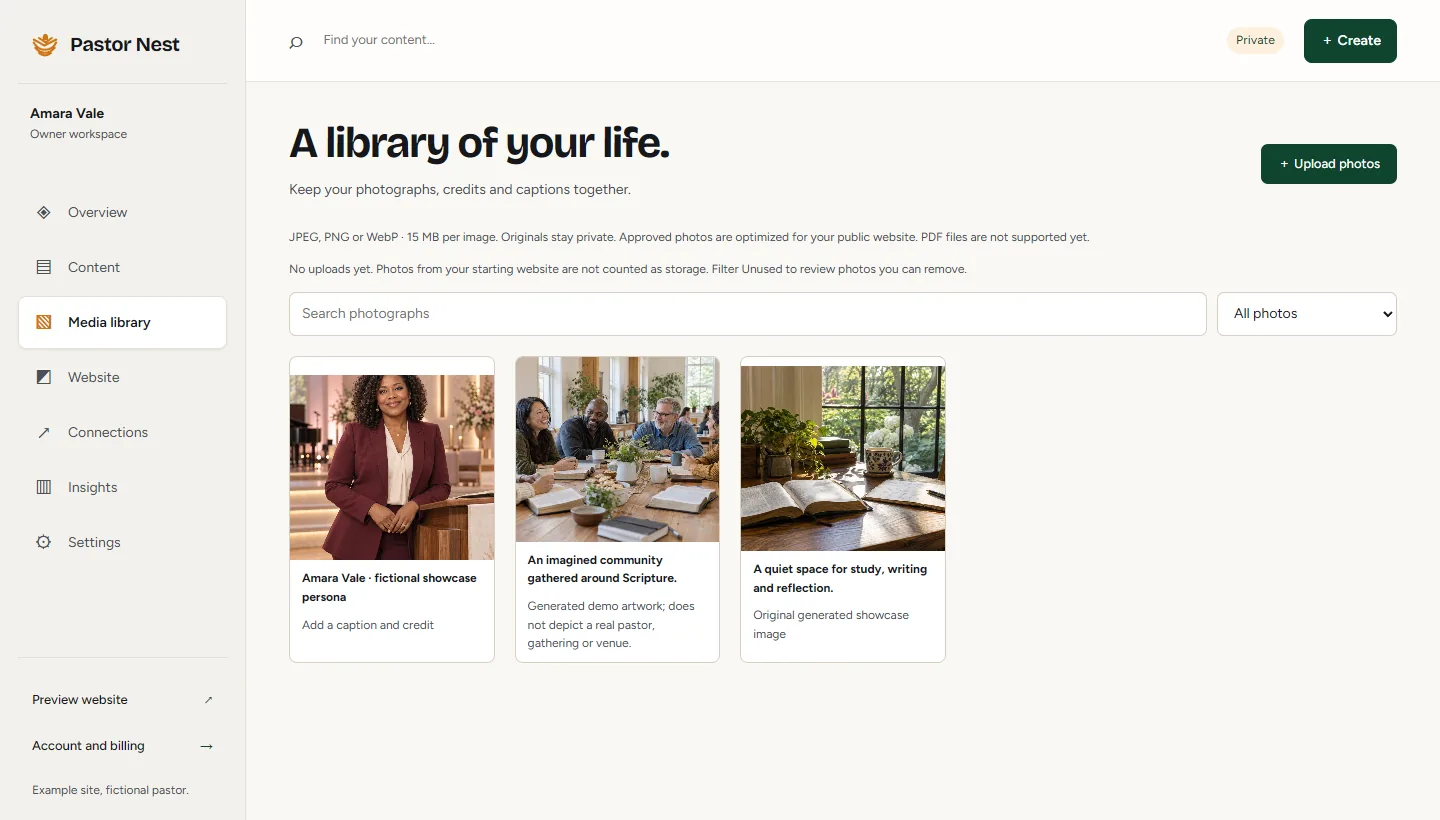
    1. Upload JPEG, PNG or WebP
    2. A caption and credit on every photo
    3. Search your library
    The media library with three photos, each with a caption, plus search and an Upload photos button.

Real screenshots of the workspace, shown with Amara Vale’s fictional example content.

What you own, and what we run.

Your words stay yours. We look after the parts that keep a website online, secure and current.

Yours

  • Your words and photosYou keep the rights to everything you write and upload.
  • Your domainRegistered in your name with your registrar. We connect it for you.
  • An export, any timeDownload your content as a file from your settings, whenever you like.
  • The final sayNothing is published until you release it.

Ours

  • Hosting and HTTPSYour site is served securely at yourname.pastornest.com or on your own domain.
  • Release history and rollbackEvery release is kept. Roll back in one step if something is wrong.
  • Sign-in and accessEmail sign-in links instead of passwords, and invitations for the people who help you.
  • Designs and the platformWe maintain the designs and the software, so there is nothing for you to update.

Plain pricing, in Australian dollars.

Two plans with GST included. Paddle, our merchant of record, issues your invoice.

Website

A$49/month

For keeping your own site current.

  • Every design and section type
  • Hosting and HTTPS on yourname.pastornest.com
  • Your own domain, connected by usDomain registration is paid separately.
  • Invited editors, import and export
Get your free preview

Care

We help you keep it current

A$99/month

Everything in Website, plus updates made for you.

  • Everything in Website
  • Up to four content updates a monthWe format a final article or sermon note you send, or change text or an image.
  • Unused updates do not roll overNo original writing or new design work.
Get your free preview

Pilot pricing. Checkout opens to pilot customers once their preview is claimed. Your 14-day free trial starts when you claim, and it never charges you automatically.

Compare the plans line by line, and read how billing works.

See full pricing

Questions pastors ask us first.

The content is yours, and so is the final say.

Read every question
Do I need a card to see my preview?

No. The preview is free, and claiming it starts a 14-day free trial. The trial never charges you automatically; a paid plan starts only when you choose one.

Who owns the site and its content?

You do. Your words, photos and domain stay yours, and you can download your content from your settings at any time.

What if I already have a church website?

Keep it. Pastor Nest is a personal site for your teaching, books and speaking. Link the two so people can find both.

Can my assistant edit it?

Yes. Invite an editor from your workspace. They can help with content while you keep ownership and billing.

Can you change what I teach?

No. You approve every word. Nothing is published until you release it, including updates we prepare on the Care plan.

Can I use my own domain?

Yes. We connect your domain for you. You register and pay for it separately with your registrar, and it stays in your name.

Let’s start with your work.

Share a link to your teaching, church or current website. We will use it to draft your private preview and reply by email.

  • Free, with no card needed
  • Private and unlisted until you claim it
  • Removed whenever you ask
  1. You send a linkTo your teaching, church or current site.
  2. We draft your previewPrivately, then we reply by email.
  3. You decideClaim it, change it or ask us to remove it.

Prefer email? hello@pastornest.com

Request your free preview

We use your details only to respond to this request. Read our Privacy Policy.