Every feature, explained plainly.
Pastor Nest is one workspace for writing, importing, designing and publishing a personal ministry website. Everything on this page is included in both plans.
Writing and sermons
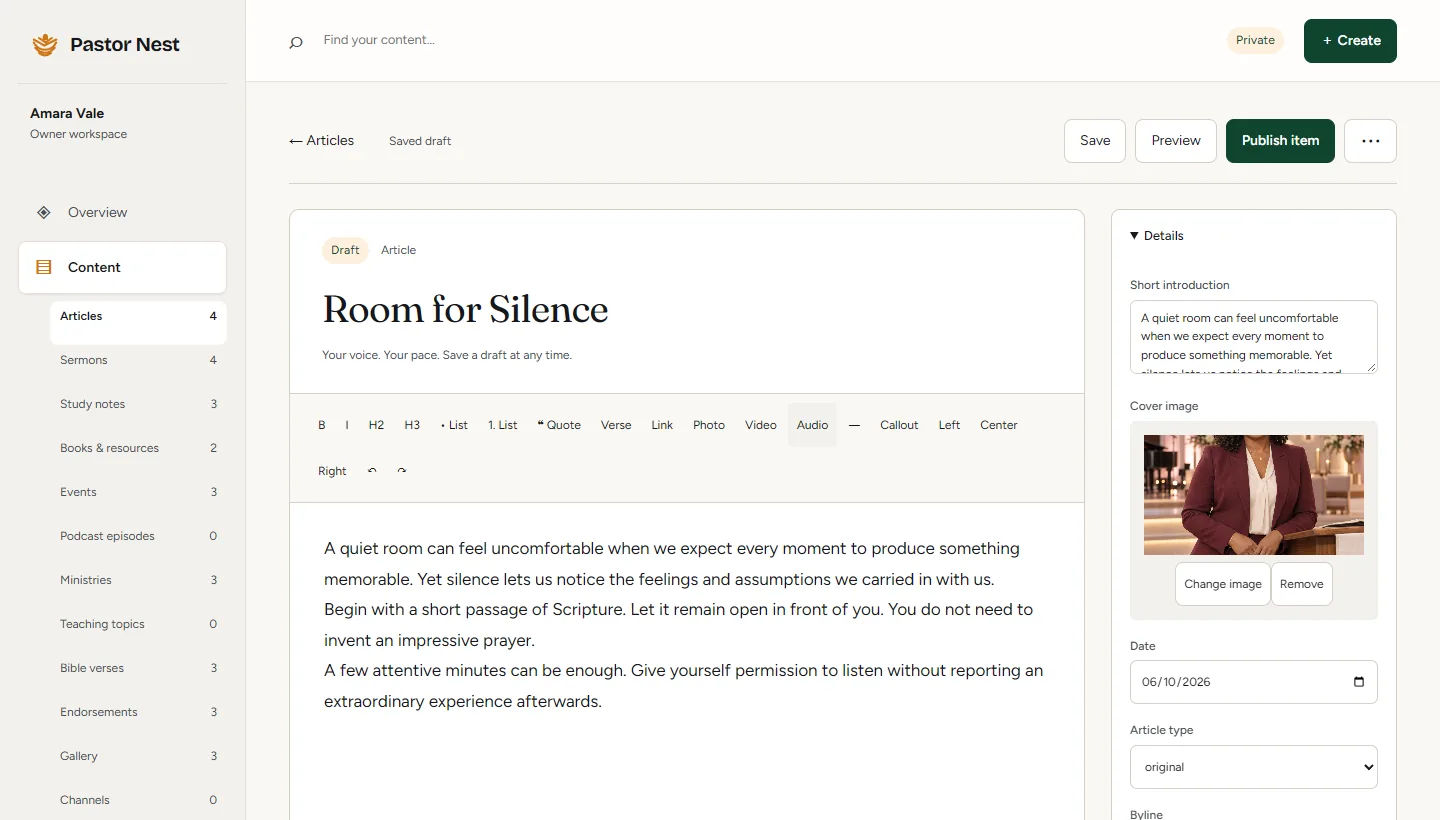
A focused editor for articles, sermon notes and studies, with the formatting teaching actually needs.
- A calm, rich editorHeadings, lists, quotes, Bible verses, callouts, photos, video and audio.
- Sixteen content collectionsArticles, sermons, study notes, books, events, podcast, ministries, teaching topics, Bible verses, endorsements, gallery, channels, social, questions and answers, page links and milestones.
- Drafts and private previewsSave a draft at any time and preview it privately before anyone else sees it.
- Scheduled publishingPick a date and time, and the post goes live on its own.
- Categories and searchGroup work by series or category, then search and filter your whole library.
 123
123- 1Formatting built for teaching, including Bible verses
- 2Cover image and short introduction
- 3Publish when it is ready
Media and import
Bring in what you have already made, without copying it all across by hand.
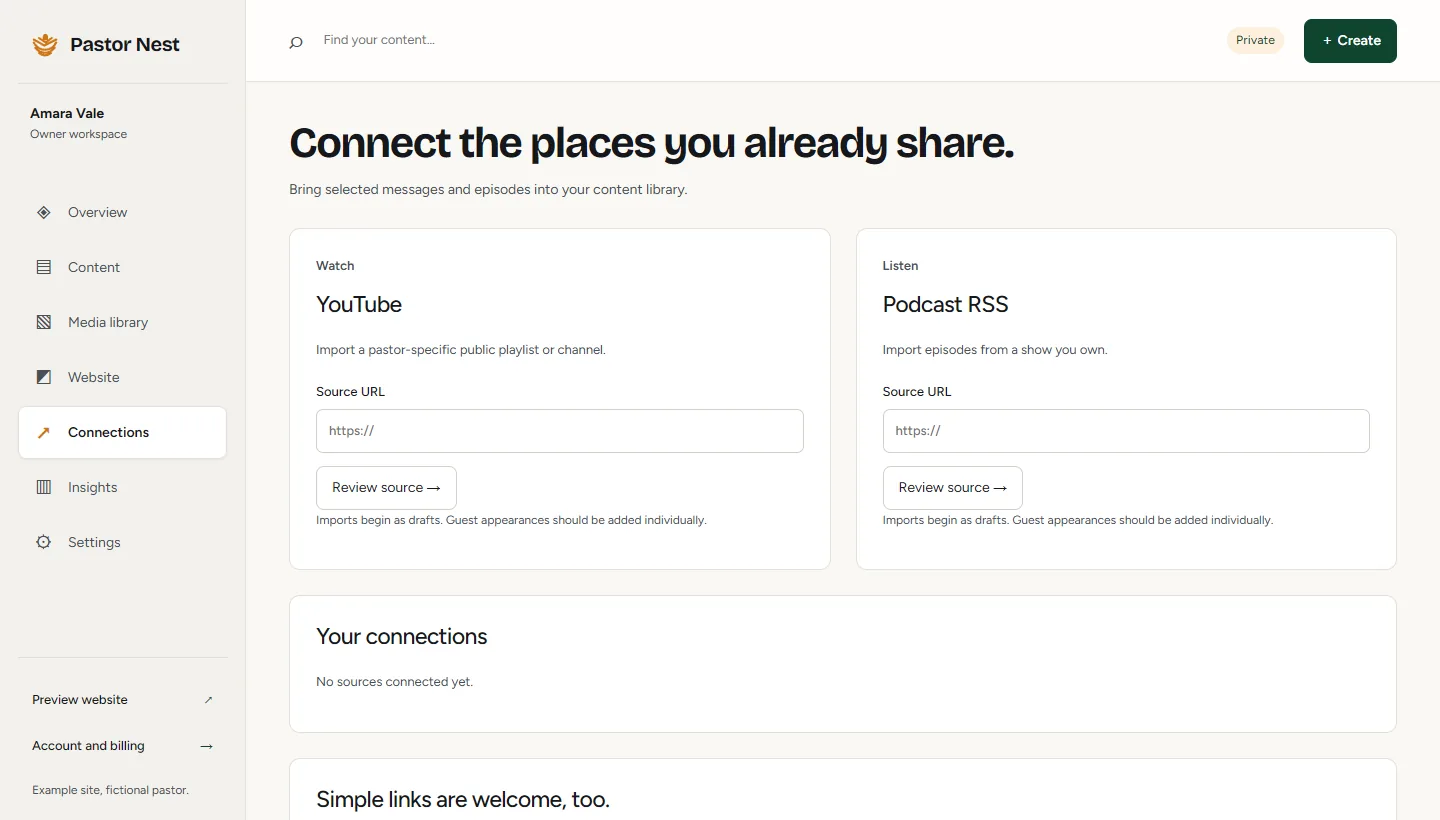
- YouTube importPaste a channel or playlist. Messages arrive as drafts for you to check.
- Podcast importAdd the RSS feed of a show you own and bring episodes into your library.
- Video without the weightSermons play from YouTube in its privacy-enhanced mode, so we never host large video files.
- A media libraryKeep photos with captions and credits. Upload JPEG, PNG or WebP up to 15 MB.
- Automatic image processingEvery photo is converted to WebP and sized so pages load quickly on a phone.
 123
123- 1Paste a YouTube channel or playlist
- 2Or a podcast feed you own
- 3Imports begin as drafts
Design and pages
More than twenty designs and 23 section types, all reading from the same content.
- More than twenty designsSwitch at any time. Your writing, sermons and pages come with you.
- 23 section typesFrom sermon series and book shelves to events, endorsements and galleries.
- Pages and navigationTurn pages on or off and set the headline and introduction for each one.
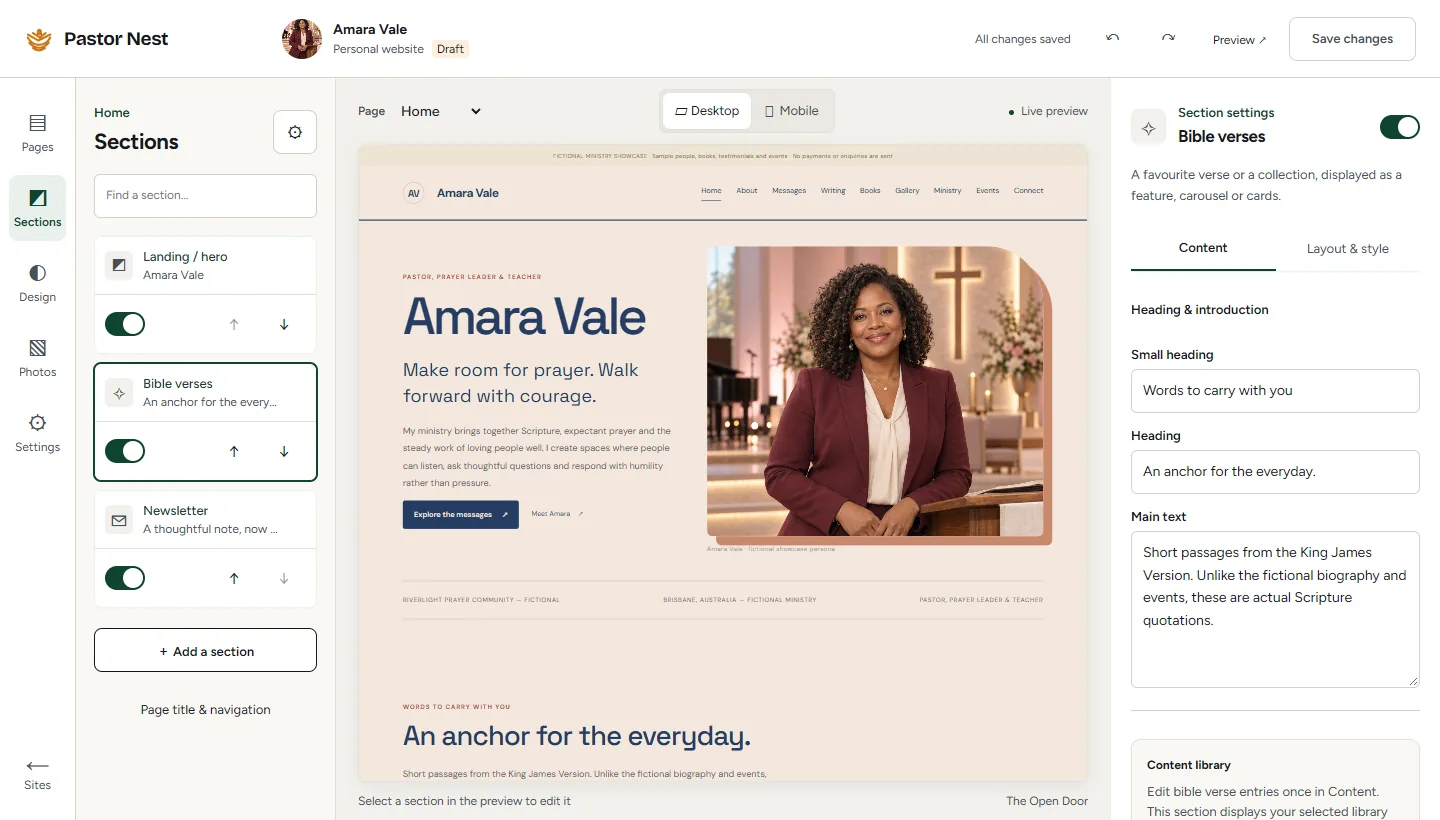
- Desktop and mobile previewSee both views in the page designer before anything goes live.
- Built for phonesEvery design adapts to phones, tablets and desktops.
 123
123- 1Turn sections on or off and reorder them
- 2Switch between desktop and mobile
- 3Edit the words of any section
Publishing and ownership
Release when you are ready, undo when you need to, and take your content with you whenever you like.
- Your own addressPublish at yourname.pastornest.com over HTTPS from day one.
- Your own domainWe connect a domain you own for you. You register and pay for it with your registrar.
- Review and releaseCheck every page, then release the whole site together.
- Release history and rollbackEvery release is kept, so you can return to an earlier version in one step.
- Download my contentExport your content as a file from settings at any time.
- First-party view countsPage views and outbound link clicks, counted by us. No third-party analytics.
 123
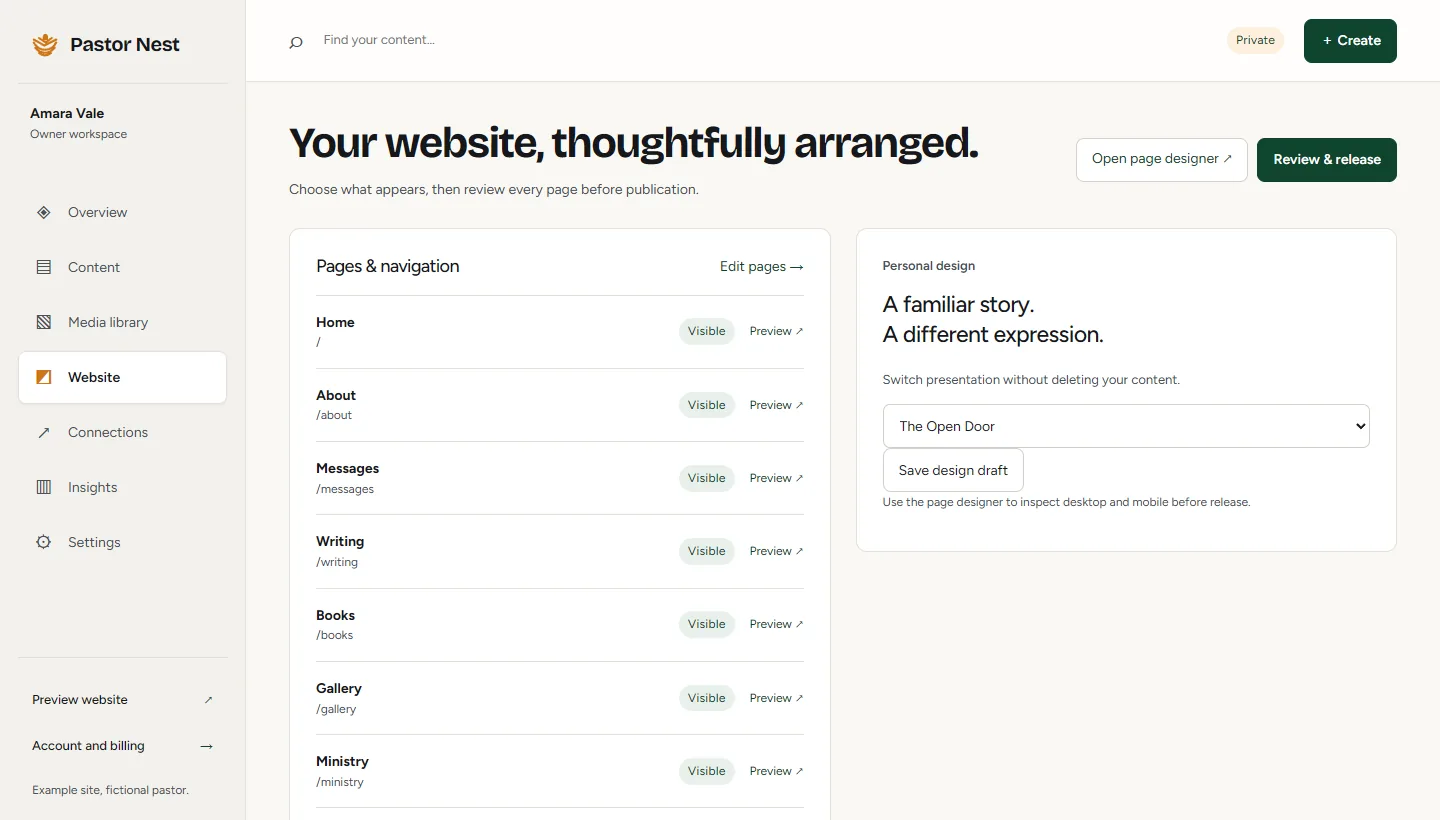
123- 1Every page, with its visibility
- 2Change design without losing content
- 3Review, then release
Care and support
Your first draft is prepared for you. After that, edit it yourself or let us help.
- A first draft, made for youWe build your private preview from the public work you point us to, at no cost.
- Email supportWrite to support@pastornest.com and a person replies.
- Invited editorsGive an assistant or family member access to help with content.
- The Care planUp to four supplied-content updates each month, made by us.
What counts as a Care update
- Formatting a final article or sermon note you send
- Changing text on an existing page
- Replacing an image on an existing page
Up to four a month, with no rollover. Original writing, new designs and video clipping are not included.
Privacy and security
Private by default, with nothing sold and nothing tracked for advertising.
- Email sign-in linksNo password to remember, reuse or leak. We email you a secure link.
- Single-use invitationsClaiming a site needs the invitation sent to your email. A forwarded link cannot claim it.
- Owner and editor rolesEditors help with content. Only the owner manages billing and access.
- Private until you releasePreviews are unlisted and drafts stay private until you publish them.
What we do not do
- Sell personal information
- Use third-party analytics
- Set advertising cookies
- Process card payments ourselvesPayments are processed by Paddle, our merchant of record.
Read the details in our Privacy Policy and Cookie Notice.
See these features on your own site.
Send us a link to your teaching. We will draft a private preview you can explore before you decide anything.