From a first draft to your own address.
You see a finished draft of your site before you commit to anything. Here is every step, what we need from you and what we will never do.
-
1Step one
We draft your preview, privately.
You send us a link to your teaching. We build a private preview from public work you point us to: sermons, books, talks and your bio.
- UnlistedYour preview is not in search results and is not shared with anyone else.
- Clearly markedIt is labelled as an unofficial preview until you claim it.
- Removed on requestAsk us, and we take it down.
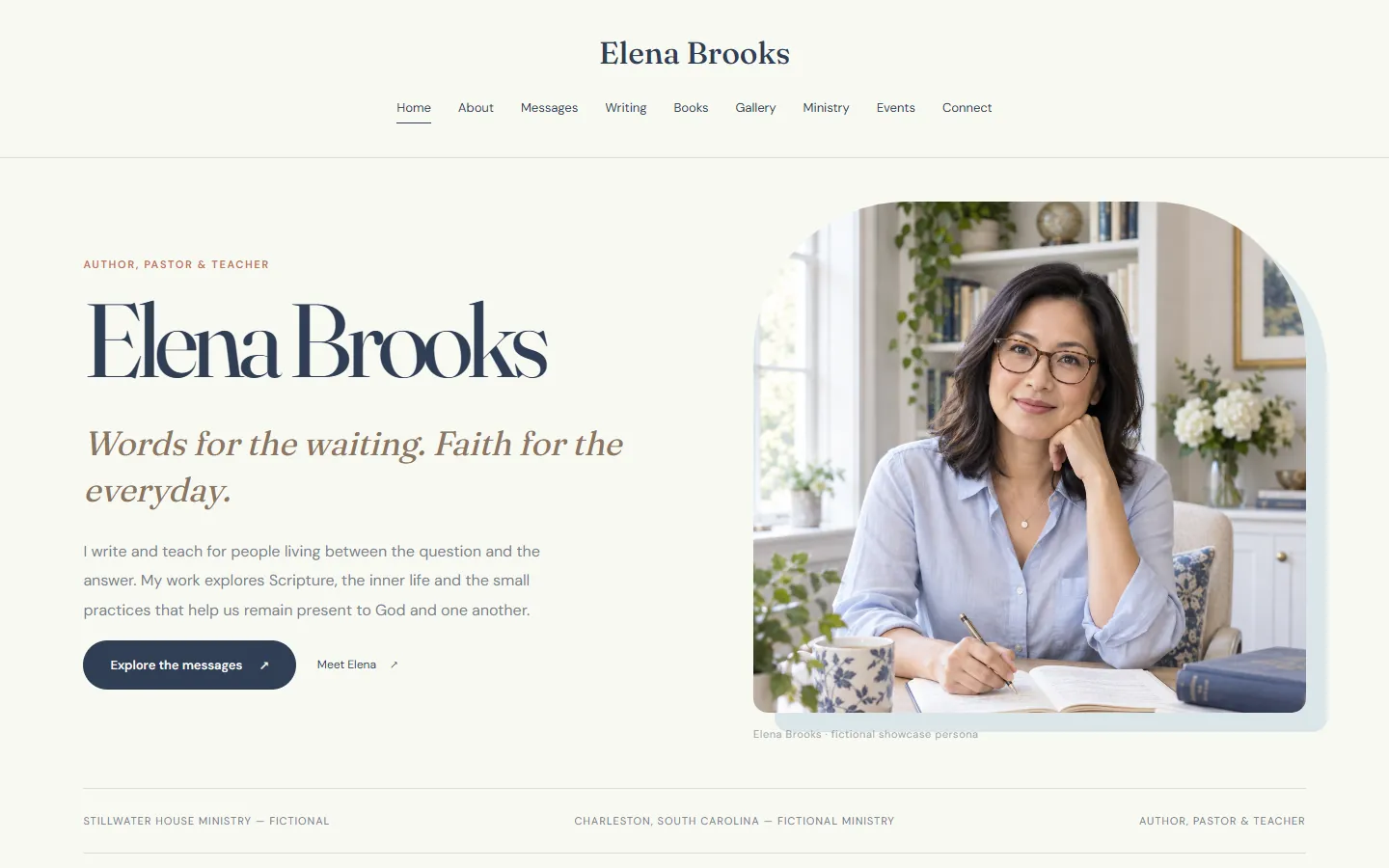
Elena Brooks. Example site, fictional pastor. -
2Step two
You claim it with a single-use invitation.
When you are ready, we send you an invitation. Claiming it makes the site yours and starts your 14-day free trial.
Your invitation
- Works onceAfter you claim, the invitation cannot be used again.
- Only for your email addressA forwarded link cannot claim your site.
- No passwordYou sign in with a secure link we email to you.
- No card neededThe trial never charges you automatically.
-
3Step three
You make it yours in the editor.
Change any word or photo, choose a design and bring in your sermons. Nothing changes on the public site until you release it.
- Edit everythingEvery page, section, article and photo.
- Choose a designSwitch between more than twenty designs without losing content.
- Import your workPaste a YouTube channel or playlist, or a podcast feed.
- Invite helpAdd an assistant as an editor.
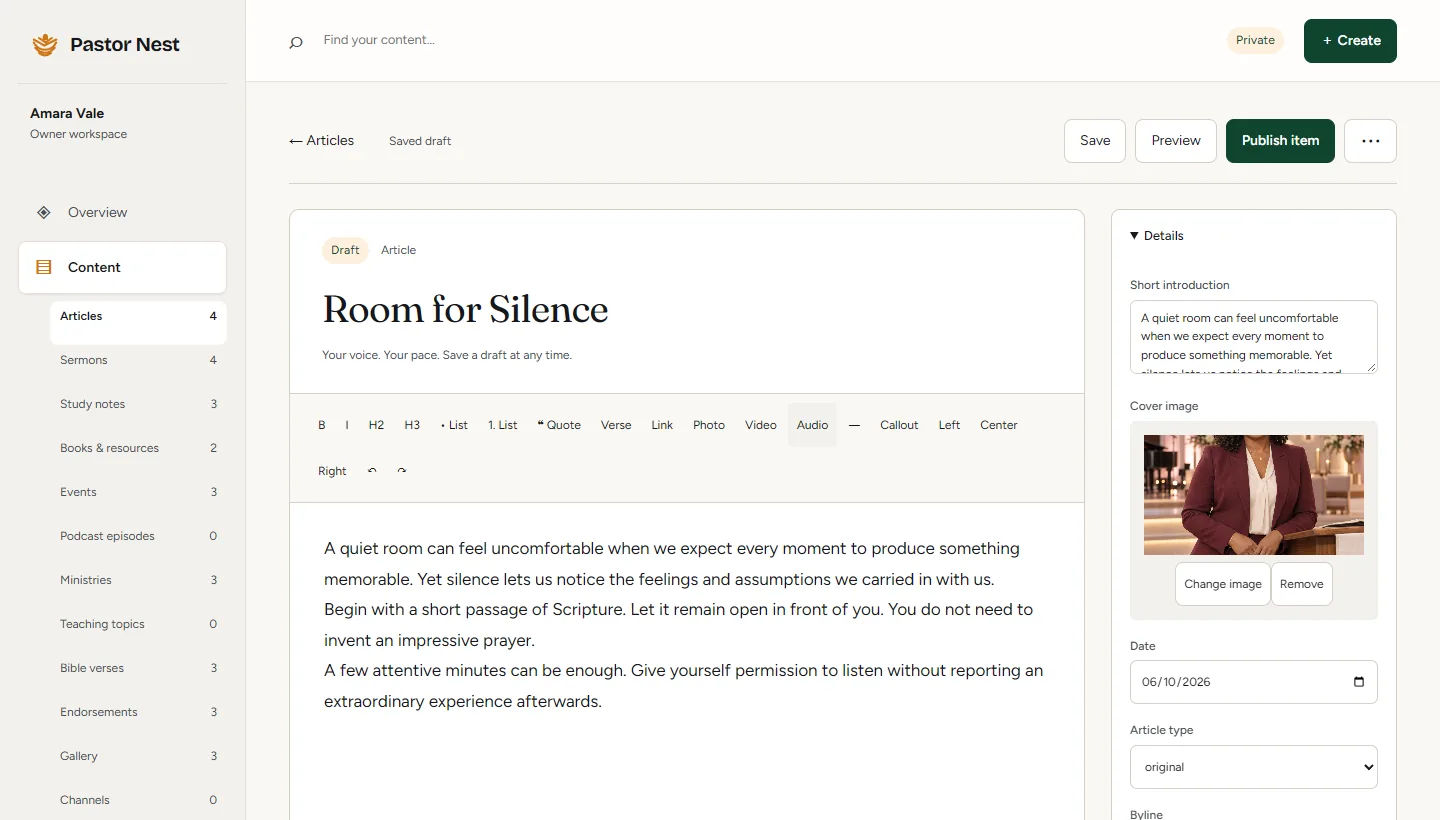
The real editor, with Caleb Rowan’s fictional example content. -
4Step four
You publish on your own address.
Review every page, then release. Your site goes live at yourname.pastornest.com, or on your own domain, which we connect for you.
- Release when readyReview, then publish the whole site together.
- Roll back in one stepEvery release is kept.
- Keep it current, or let usEdit it yourself on Website, or send us updates on Care.
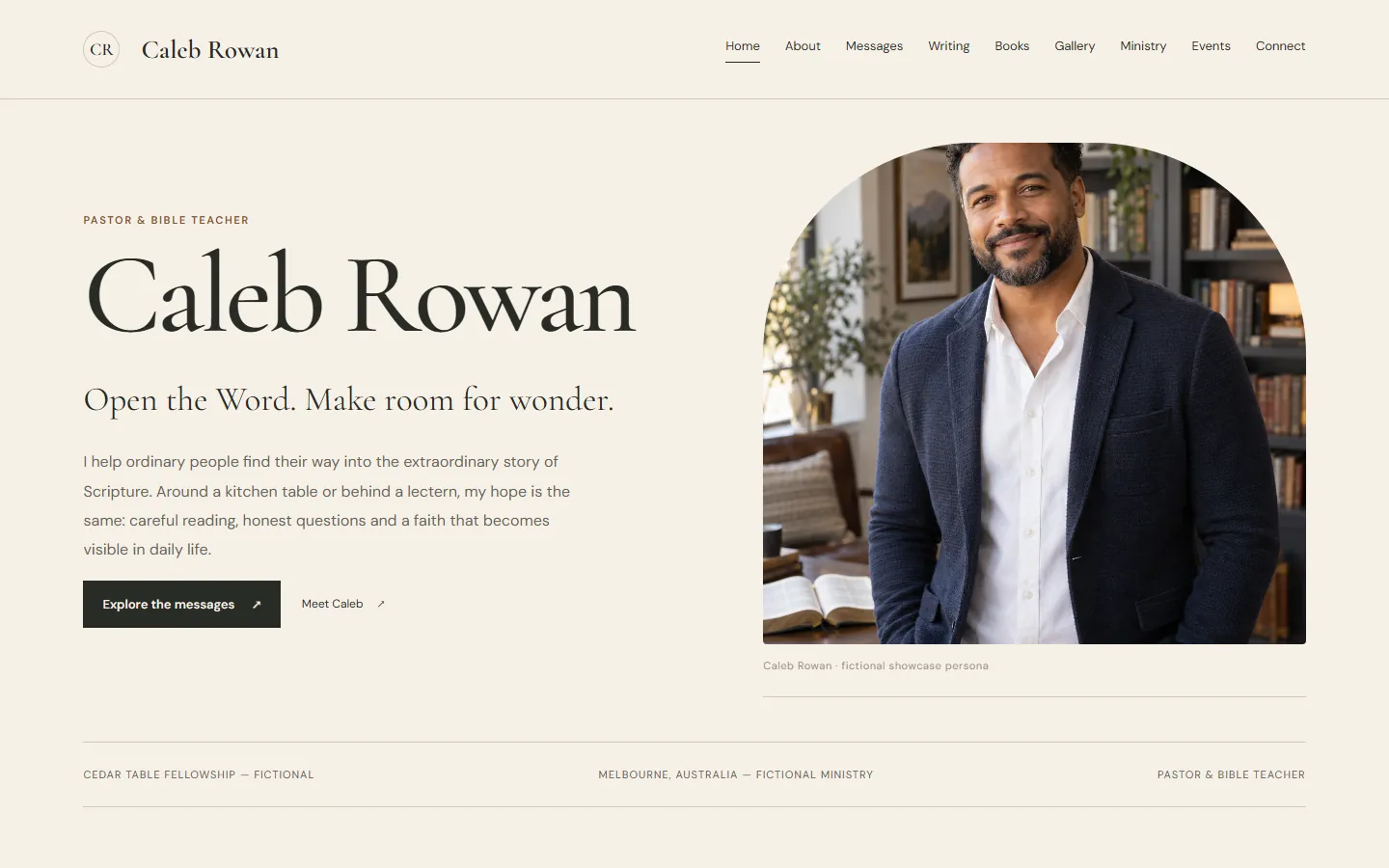
Caleb Rowan. Example site, fictional pastor, published live.
What we need from you
- A link to your teachingA YouTube channel, podcast, church page or your current website.
- Your email addressSo we can reply and later send your invitation.
- Your reviewYou check and approve everything before it goes live.
- Your domain, if you want oneWe connect it with you. You keep it registered in your name.
What we never do
- Post on your behalfNot on social media, not anywhere else.
- Make a preview publicPreviews stay unlisted until you claim and publish.
- Keep a preview you ask us to removeEmail support@pastornest.com and it comes down.
- Publish without your releaseNothing goes live until you say so.
- Sell your detailsNo selling personal information, no advertising cookies.
Step one takes a single link.
Send us your YouTube channel, podcast, church page or current site, and we will start your private preview.